
AI Agents For Dummies

This is the raw, uncut version of an article written for Sloth Bytes. Read the published version
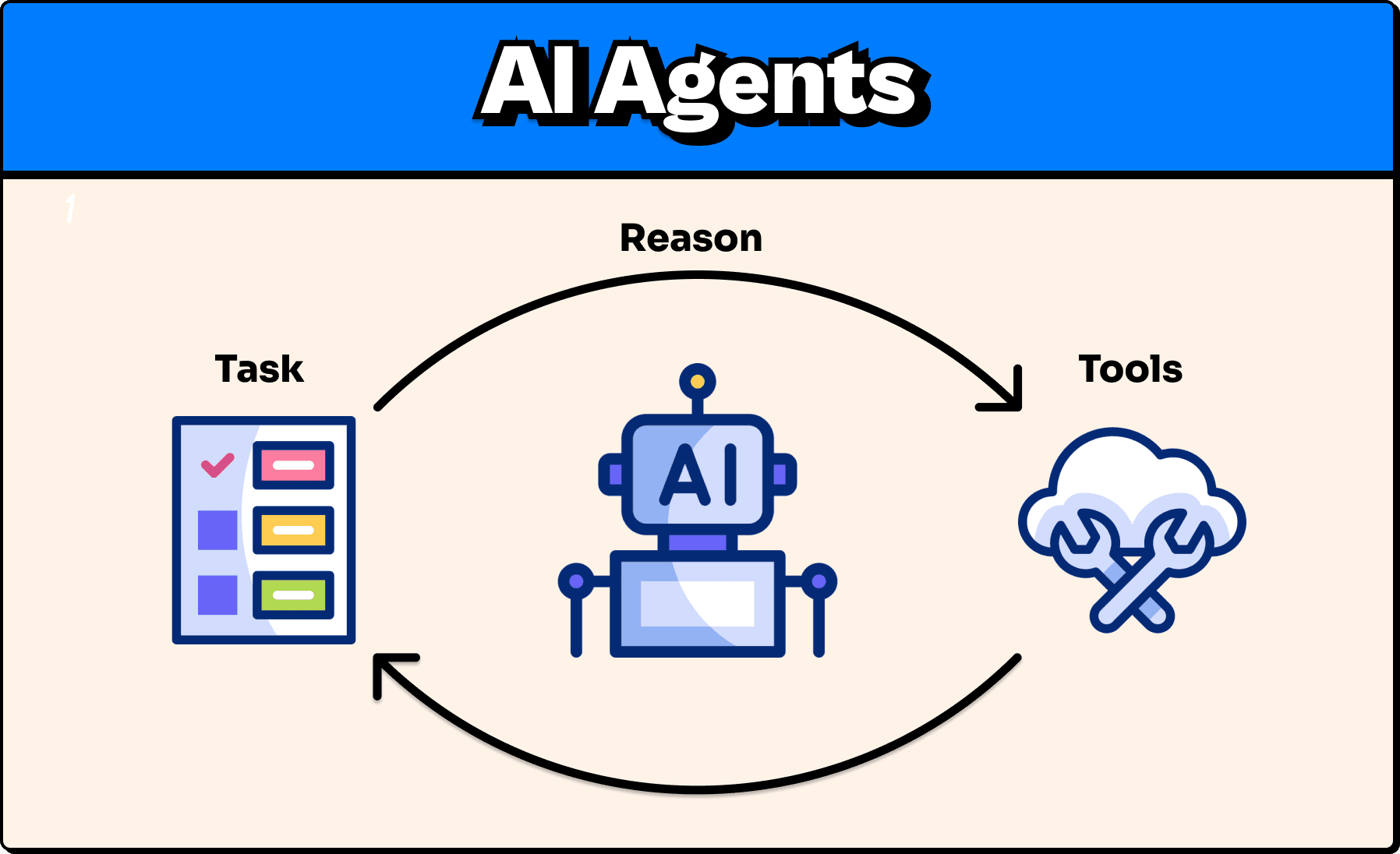
AI agents are one of those things that companies love to make sound way more complicated than they are, so they can keep getting that VC money.
Hey, I don't blame them, but the truth is, it's not that deep, and once you get it, the whole idea becomes pretty simple.
So simple that by the end of this newsletter, you'll understand the fundamentals and be able to build your own AI agent.
Before the what, understand the why
You may have heard of the "strawberry" problem, where users asked the most smart LLM models how many "r's" are in the word "strawberry". It was shown that regardless of model intelligence, the model was often completely wrong.
Yeah... So much for AI taking our jobs, right? To be fair, I can't throw too much shade as I literally misspelled strawberry like 3 times while writing this so I'm not exactly a threat either.
LLMs are great at things like language and patterns, but not at logical deduction.
Now, if we compare that with a regular function in code that say counts how many times a character appears in a word, it's going to return the same result for the same input every time.
function countLetterOccurances(word, letter) ...countLetterOccurances("strawberry", "r") //always 3Nice, predictable, and boring, which is exactly what we want.
But code functions don't accept natural language like an LLM can. For example, I can't call this function with:
countLetterOccurances("how many r's are in the word 'strawberry'")As the function expects specific parameters for word and letter.
It's like me talking to a coffee machine and saying, "I would like a latte, please." No matter how polite I am, the machine's not gonna do anything.
But say that to a barista, and they will know how to translate "I would like a latte, please" into the proper actions to get me caffeinated.
So what if we could just combine:
- An LLM's ability to understand messy natural language
- With the reliable deterministic benefits of code
Well, you can. This is where agents come in.
So what is an agent?
An Agent is an LLM equipped with tools.
Tools are functions just like our countLetterOccurrences function, which the agent calls to help perform certain tasks. The LLM can use these tools autonomously, meaning you don't need to tell it which tool to use; it can reason to determine the best tool(s) for the job.
So if we had an agent equipped with our countLetterOccurrences function, and we asked, "How many r's are in the word 'strawberry?'" The agent's flow may look something like this:
- User: "How many r's are in the word 'strawberry?'"
- LLM thinks: "Vibes won't solve this. Do I have a tool for this? Ah, yes, yes, I do."
- It calls the
countLetterOccurrencestool with the word "strawberry" and "r" as parameters. - The tool returns 3
- LLM Responds: The word "strawberry" has 3 'r's.
No vibes, just facts. Ok, that was cheesy, but you get the point. It's just like when a barista hears me say "I would like a latte, please" after they are done complimenting me on my mannerisms, they can use the coffee machine (tool) to make my latte.
Just about any modern chatbot you come across these days is equipped with tools that make it technically eligible for the company to now brand it as "agentic software". And chances are, you have used many of them.
Real Examples
Claude Code: Is an LLM that uses CLI-based tools to read and write files in your codebase.
Perplexity: Is a chatbot that uses web search tools to generate responses that reference real data on the web.
ChatGPT: Is a chatbot that is equipped with tools for things like creating images or searching the web.
Defining a tool
The quality of tools and the LLM's ability to use the right tool at the right time are often more important than the LLM's intelligence.
Just like me with a cell phone.
- Without it, I'm not so smart.
- With it, still questionable, but I'm much more capable.
An agent's ability to call the right tool at the right time depends largely on 3 main things.
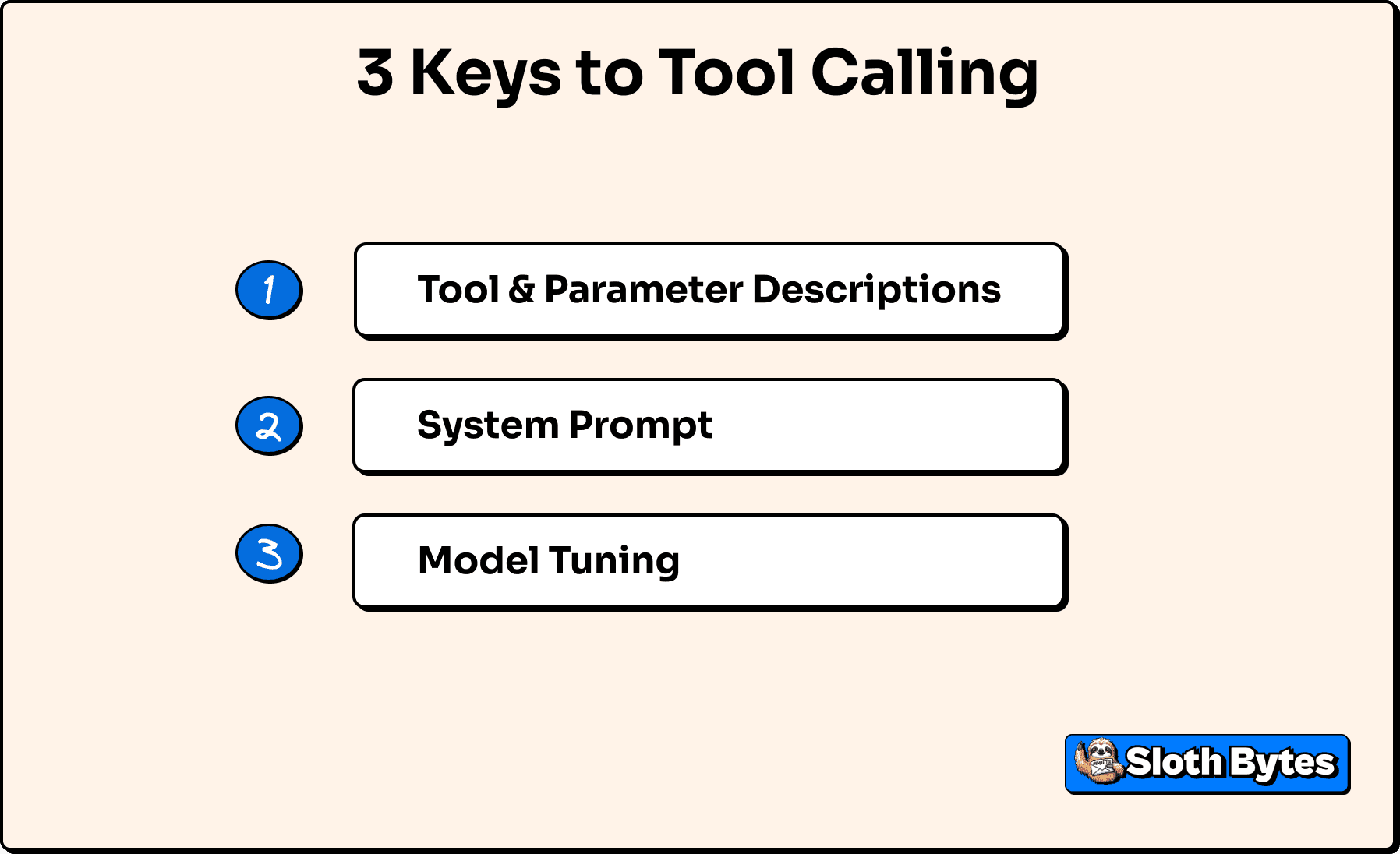
1. Description of the tool and its parameters.
Just like if you were reading through someone else's code and the function name isn't descriptive and there are 10 parameters that are all just single letter names and there are no comments explaining what's going on, like it's the 1970s and "every byte counts". You will have no idea how or when to use the function. An LLM is no different, but unlike you being able to read the cryptic code, the LLM can't see your code and can't derive any additional insights, so it is on us to properly document tools in a way the LLM can understand.
2. System Prompt
A system prompt is a description you give an LLM that essentially tells it who it is and its purpose of existence (you can literally play god here). If the system prompt is unclear about the goal, it may not use its available tools properly. Just like how, if you asked a power lifter for diet advice when you're trying to lose weight. You'll get advice, but it's not gonna get the advice you're looking for. Here are some examples from OpenAI on how to write good system prompts.
3. How the model was trained
Most models you interact with are generic, so they are kinda good at everything. Some models, though, are trained specifically for tool calling.
For example, OpenRouter has a model variant called exacto, which is a model fine-tuned for tool calling. This is another reason many developers like Claude models for coding, as they are better at using tools.
Some agentic workflows will even have a model just for deciding whether to call a tool, and then use a different model for actually responding to the user.
Thanks to modern SDK, turning all this into code is much more straightforward than it used to be. In this example, we will use Vercel's AI SDK as it is extremely popular (with ~4 million weekly downloads on NPM) and very well documented. While the Vercel AI SDK is the default for most developers, there are some good alternatives out there worth exploring, such as LangChain, that may be better for your use case.
Step 1: Define the tool
import { z } from "zod";import { tool } from "ai";
const countLetterOccurrencesTool = tool({  description: "Count how many times a given letter appears in a word or phrase.",  inputSchema: z.object({    letter: z      .string()      .min(1)      .max(1)      .describe("The single letter to count"),    text: z.string().describe("The text to scan"),  }),  execute: async ({ letter, text }) => {    const count = [...text].filter(char => {      return char.toLowerCase() === letter.toLowerCase();    }).length; // See I can code
    return { count };  },});
What we just did was:
1. Describe the tool
Short description of what the tool is
2. Define parameters
We use zod for this to ensure that any arguments the LLM tries to pass to the tool conform to our expectations.
letter: a single charactertext: the text we are going to search
3. Implement the function
This is the actual logic that will actually run on your machine or server, and the output will be returned to the agent.
Step 2: Put the tool to work
Now we can pass this tool to the LLM, and boom, we technically have an "agent". Not a very good one, but hey, maybe you could tweak some variables, throw in some buzzwords, and pitch it to a VC as an "agentic, multi-platform, B2B SaaS web3 AI-integrated crypto orchestration platform." And if that works, which I really hope it does, plz hire me:
import { generateText } from "ai";import { openai } from "@ai-sdk/openai";
async function agent(prompt: string) {
  const result = await generateText({    model: openai("gpt-5"),    tools: {      countLetterOccurrences: countLetterOccurrencesTool,    },    system: `      You are a normal conversational chatbot.
      If the user ever asks something that requires deterministic logic (for example:      counting letters, counting words, numeric checks, or anything where precision matters),      call the appropriate tool instead of guessing.    `,    prompt,    stopWhen: stepCountIs(2)  });
  return result;}
Here's the breakdown:
- We define an asynchronous function that takes in a prompt.
- We call
generateText(from the Vercel AI SDK) with:- The GPT-5 model (you do need an OpenAI API key for this)
- A set of available tools, which is just
countLetterOccurances - System prompt that defines the AI's purpose
- A
stopWhencondition that tells the AI how many loops of tools it can call. This prevents infinite loops, which can be very dangerous for your bank account.
Step 3: Use our creation
Now the fun part
const agentResponse = await agent( "How many r's are in the word 'strawberry'",);console.log(agentResponse.text);// The word "strawberry" has 3 'r's.Not exactly mind-blowing, but it did correctly count the number of "r's" in "strawberry" (which I'm still misspelling btw, idk what's up with me, it's not even a hard word UGH).
BUT, how do we know that the AI actually called the tool and didn't just make that up?
Well, we can actually inspect the steps that it took to reach its final output.
console.log(agentResponse.steps));
[...{    "type": "tool-call",    "toolName": "countLetterOccurrences",    "input": {        "letter": "r",        "text": "strawberry"    },    ...},{    "type": "tool-result",    "toolName": "countLetterOccurrences",    "input": {        "letter": "r",        "text": "strawberry"    },    "output": {        "count": 3    },    ...}...],
So the agent:
- Called
countLetterOccurrenceswith{ letter: "r", text: "strawberry" } - Got back
{ count: 3 }. - Used that result to spit out the correct answer of "The word "strawberry" has 3 'r's."
OR visually:
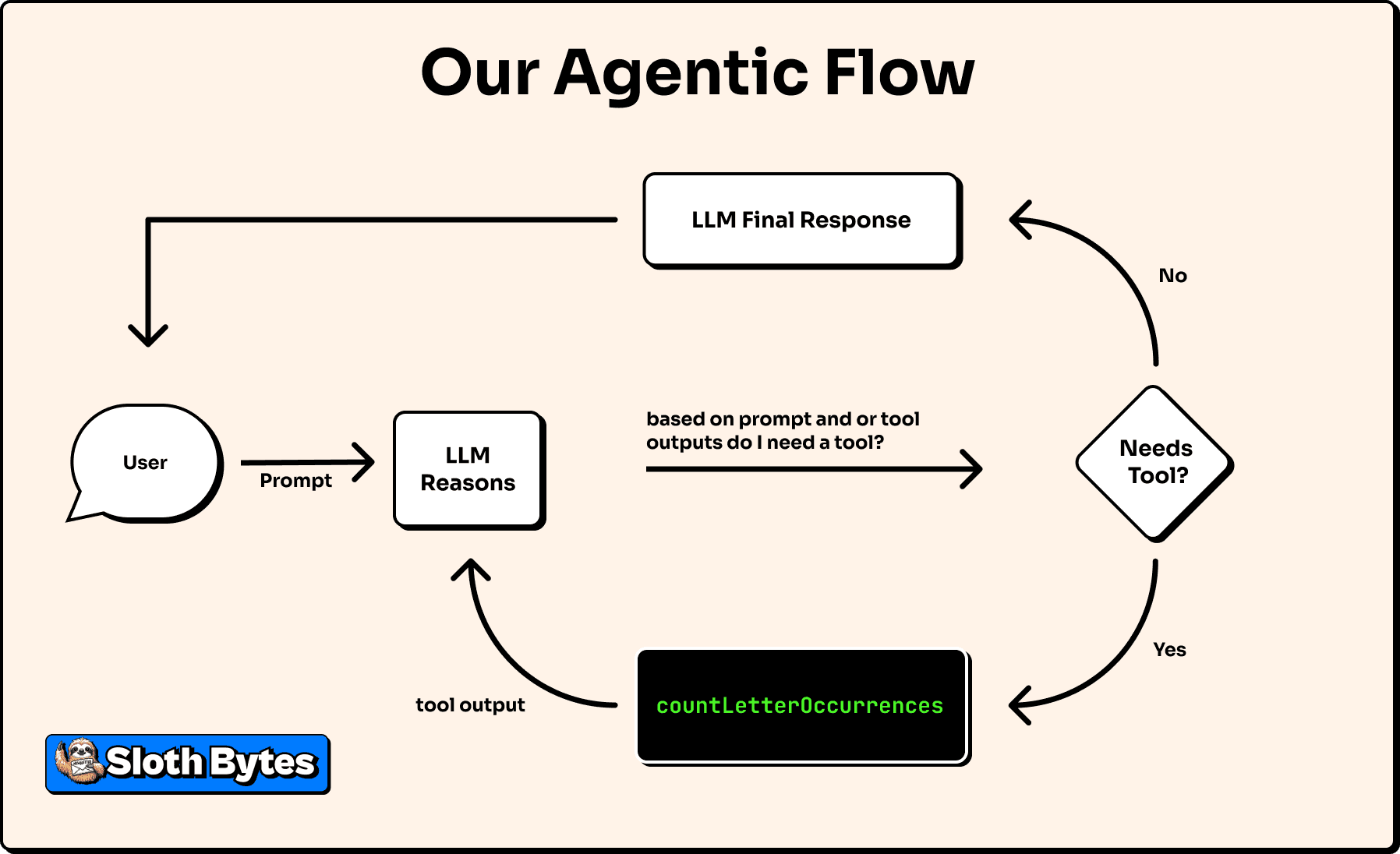
Although the output of the tool is deterministic the final response may vary e.g. "There are 3 r's in strawberry" or "There are three" but the core logic is the same, just like how when I order a coffee it is never exactly the same every time however it is indeed a coffee just like how indeed there are three r's in the word strawberry.
This variation in responses can be controlled through a setting supported by some models called temperature, which, in short, is a randomness factor that determines how consistent and "colorful" the output is. The lower the temperature, the more predictable the responses will be; the higher the temperature, the more volatile the response will be.
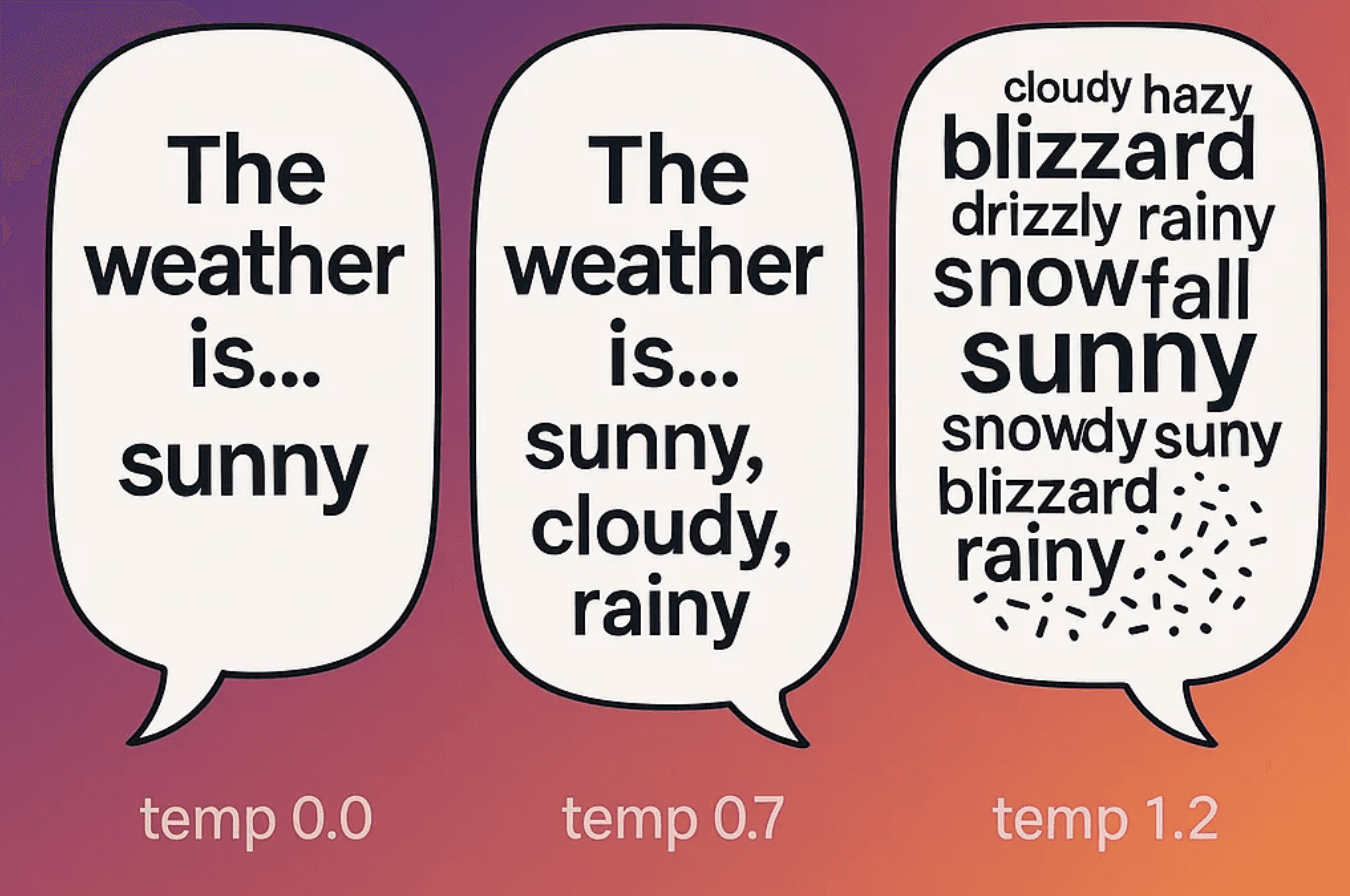
The lowest temperature setting is 0, while the highest varies by provider but is typically no greater than 2. When building an agent, you generally want this value set low; in the range of 0-0.5 is a good rule of thumb. While this isn't a critical component to focus on when building agents, it's worth experimenting with, especially if you find your agent inconsistent with tool calls.
How does the LLM actually run your code?
The short answer is it doesn't.
The LLM doesn't have access to your code.
When we say an agent calls a tool, what we essentially mean is:
- The LLM returned instructions saying "Call countLetterOccurrences with { letter: 'r', text: 'strawberry' }."
- Your code (or, in our case, the SDK) reads those structured instructions and then calls the function with the specified parameters.
- Then the output of the function is sent back to the LLM, which sends you back not just the number 3 but a pretty human-readable response of "The word 'strawberry' has 3 'r's." (yes, I spelled "strawberry" right that time)
The key point to drive home here is that the AI is telling your app what to run, not running it itself. This may sound like a security risk, and it only really is if you give an agent access to dangerous tools, but you are always in full control, and if anything bad ever happens, just know it's a skill issue.